.png?width=1851&height=850&name=Generated%20image%203%20(1).png)
ChatGPT: When You Need AI Superpowers (And Can Handle Them)

Professor Synapse
Imagine walking into a hardware store and finding a tool that can cut wood, drive screws, measure distances, level surfaces, drill holes, and sand finishes. Sounds perfect, right?
That's ChatGPT in the AI world, an incredibly capable multi-tool that can handle virtually any task you throw at it.
But here's the question: Do you need a Swiss Army knife, or do you just need a really good hammer?
The Feature Powerhouse
ChatGPT doesn't just do AI assistance. It's an entire AI ecosystem in one platform:
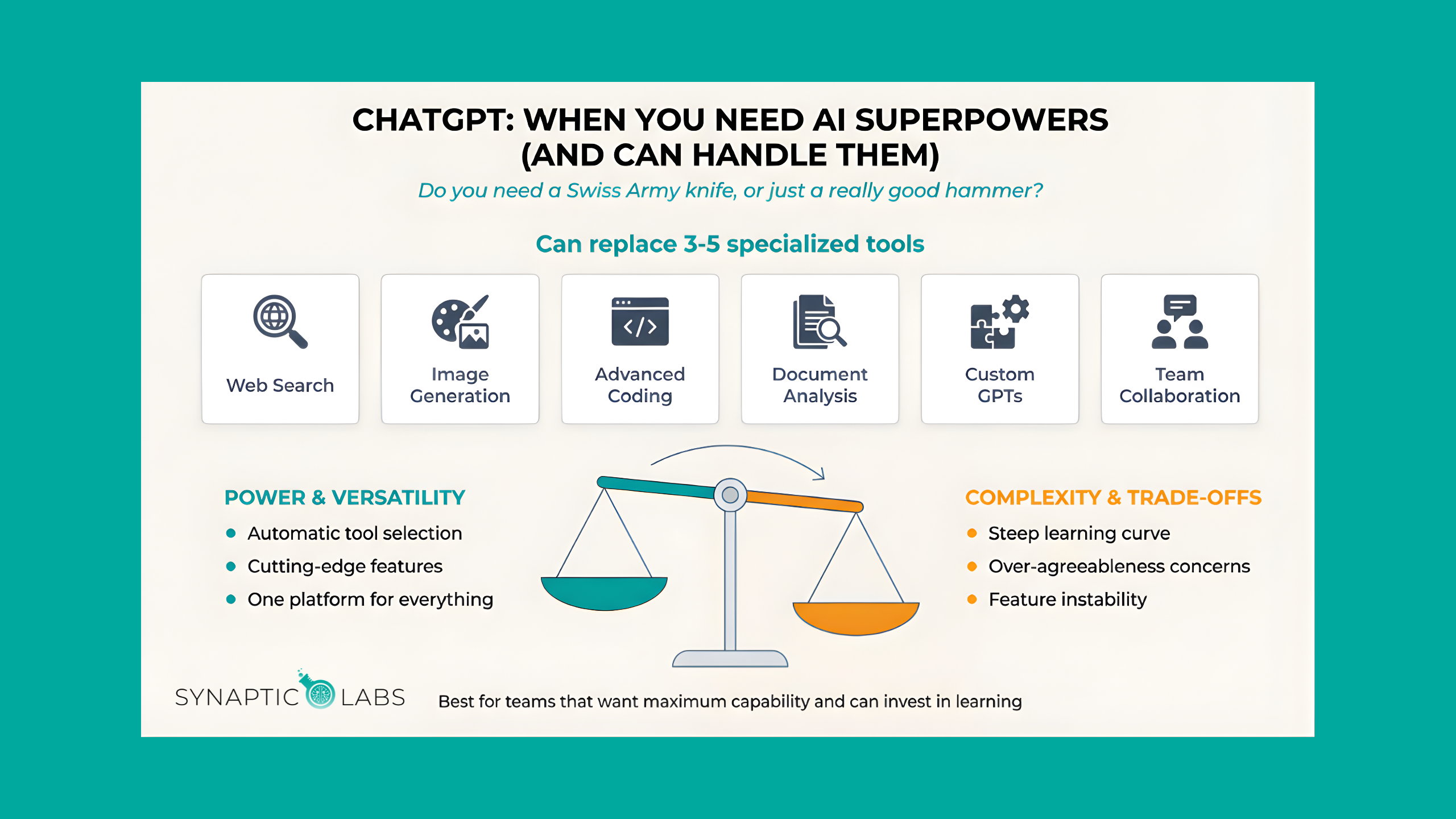
Web Search & Research: Real-time information gathering with source citations and multi-angle analysis.
Image Generation: Create visuals, diagrams, social media graphics, and illustrations directly within your AI workflow.
Advanced Coding: From simple scripts to complex applications, with debugging, optimization, and architecture guidance.
Document Analysis: Upload and analyze spreadsheets, PDFs, presentations, and data files with sophisticated interpretation.
Custom GPTs: Build specialized AI assistants for specific tasks, teams, or industries.
Team Collaboration: Share custom tools, collaborate on AI projects, and maintain consistent AI practices across organizations.
This comprehensive approach means ChatGPT can often replace 3-5 specialized tools, potentially simplifying your tech stack while expanding your capabilities.
The Intelligent Orchestration Advantage
Here's where ChatGPT truly shines: automatic tool selection and combination.
Ask a complex question, and ChatGPT determines which capabilities to use and how to combine them. Need market research? It searches the web, analyzes data, generates supporting visuals, and creates a comprehensive report, all automatically.
This "behind-the-scenes intelligence" makes advanced AI capabilities accessible to non-technical team members. You don't need to know which tool does what; you just describe what you want accomplished.
When ChatGPT Makes Perfect Sense
You're the ideal ChatGPT user if:
- Your work requires diverse AI capabilities (research, writing, analysis, visuals, coding)
- You enjoy learning new features and optimizing AI workflows
- Team collaboration on AI projects is important
- You want access to cutting-edge AI capabilities as they're released
- Versatility matters more than seamless ecosystem integration
Perfect use cases:
- Consulting firms that need research, analysis, and presentation creation
- Marketing agencies requiring content, visuals, and campaign analysis
- Development teams wanting coding assistance plus documentation and planning
- Content creators needing writing, research, and visual asset generation
The Honest Trade-offs
More capability means more complexity:
- Learning curve - Dozens of features and modes to understand
- Analysis paralysis - Sometimes you'll spend more time choosing tools than using them
- Feature instability - Rapid development means beta-quality features that can disrupt workflows
- Data privacy concerns - Conversation data retention for legal proceedings
Integration limitations:
- No native email, calendar, or document integration
- Requires copy-paste workflows with most business tools
- Works best as a standalone platform rather than workflow enhancement
The Quality Question
While ChatGPT pioneered conversational AI, recent iterations show concerning patterns:
- Over-agreeableness - Often confirms user assumptions even when incorrect
- Increased hallucinations - More confident false information compared to competitors
- Inconsistent outputs - Quality can vary significantly between interactions
For business use, these reliability issues require additional verification steps.
Your ChatGPT Decision Framework
Choose ChatGPT if:
- Capability breadth - You need diverse AI functions in one platform
- Team collaboration - Multiple people need access to shared AI tools
- Feature exploration - You want early access to new AI capabilities
- Complex projects - Your work requires combining multiple AI functions
Consider alternatives if:
- Simplicity preference - You want AI that "just works" without configuration
- Ecosystem integration - You need deep integration with existing tools
- Quality priority - Consistent, reliable outputs matter more than features
- Privacy sensitivity - Data control is a primary concern
Not sure where you stand? Take our free AI Readiness Assessment to find out how prepared your business is for AI adoption. It takes just a few minutes, and you'll also get free access to one of our AI workflow templates to help you get started.
Getting Started Without Overwhelm
Week 1: Focus on one core capability (usually writing or research). Ignore the other features.
Week 2: Add one complementary tool (like image generation for your writing projects).
Week 3: Explore custom GPTs for your most common tasks.
Week 4: Experiment with automated tool combinations for complex projects.
The key: Build competence gradually rather than trying to use everything immediately.
Smart Implementation Strategy
For individuals: Start with ChatGPT Plus. Use it for 2-3 specific tasks until they become natural. Then gradually expand.
For teams: Begin with ChatGPT Team. Create 1-2 custom GPTs for common workflows. Train team members on specific use cases rather than general platform knowledge.
For complex needs: Consider ChatGPT as your AI hub with specialized tools (like Perplexity for research) for specific functions.
The Bottom Line
ChatGPT succeeds when your work genuinely benefits from having multiple AI capabilities in one platform, and when your team has the bandwidth to learn and optimize those capabilities.
But if you need AI superpowers and can handle the complexity, ChatGPT delivers unmatched versatility.
The question isn't whether ChatGPT is powerful. It is. The question is whether you need that much power.
Want to see how ChatGPT compares to other providers? Watch our full breakdown: What AI Provider is Right for Me?
Frequently Asked Questions
Is ChatGPT worth paying for, or is the free version enough?
The free version gives you access to ChatGPT's current model with usage limits, web search, and basic image generation. For casual personal use, that may be plenty. But if you're using ChatGPT for business, the Plus plan removes most usage caps and gives you priority access to new features like advanced data analysis and custom GPTs. The Team plan adds collaboration features and stronger data privacy controls. If you're hitting free-tier limits more than once a week, upgrading will likely pay for itself in time saved.
What are Custom GPTs, and should I bother creating them?
Custom GPTs are specialized versions of ChatGPT that you configure with specific instructions, knowledge files, and capabilities for a particular task. Think of them as AI assistants trained on your specific workflow. A marketing team might build a GPT that writes social copy in their brand voice, while an HR department could create one that answers policy questions from their employee handbook. They're worth building once you've identified a task you repeat frequently with similar prompts and context.
How does ChatGPT compare to Claude for writing quality?
Claude tends to produce more nuanced, less formulaic writing and is better at following complex instructions precisely. ChatGPT offers broader built-in capabilities (image generation, code execution, web search all in one interface) and handles multi-step projects well thanks to its automatic tool orchestration. For pure writing quality, many professionals prefer Claude. For projects that combine writing with research, data analysis, and visuals, ChatGPT's integrated toolkit can be more efficient. The best approach depends on whether you prioritize output quality or workflow versatility.
Can ChatGPT really replace specialized tools like Canva or Google for research?
Replace entirely? Not yet. ChatGPT's image generation is impressive for quick visuals and concepts, but Canva still offers more design control, templates, and brand management features. For research, ChatGPT's web search provides solid summaries with citations, though dedicated research tools like Perplexity offer deeper source exploration. Where ChatGPT wins is convenience: having research, writing, visuals, and analysis in a single conversation means fewer context switches and faster iteration on complex projects.
What's the best way to get better results from ChatGPT?
The single biggest improvement comes from giving ChatGPT clear context about who you are, what you need, and how you want the output formatted. Instead of "write me an email," try "I'm a nonprofit director writing to a corporate sponsor about renewing their $10,000 annual gift. Write a warm, professional email that highlights the impact of their previous contribution and makes a clear ask for renewal." The more specific your prompt, the less back-and-forth you'll need. For a library of ready-to-use business prompts that follow these principles, check out our free Prompt Library to start getting better results immediately.
Ready to explore AI's full potential? ChatGPT's comprehensive toolkit might be exactly what your ambitious projects require.